
Beauty operations platform
Generate campaign landing pages from templates, compare channel performance, and carry each booking back into the internal operation.
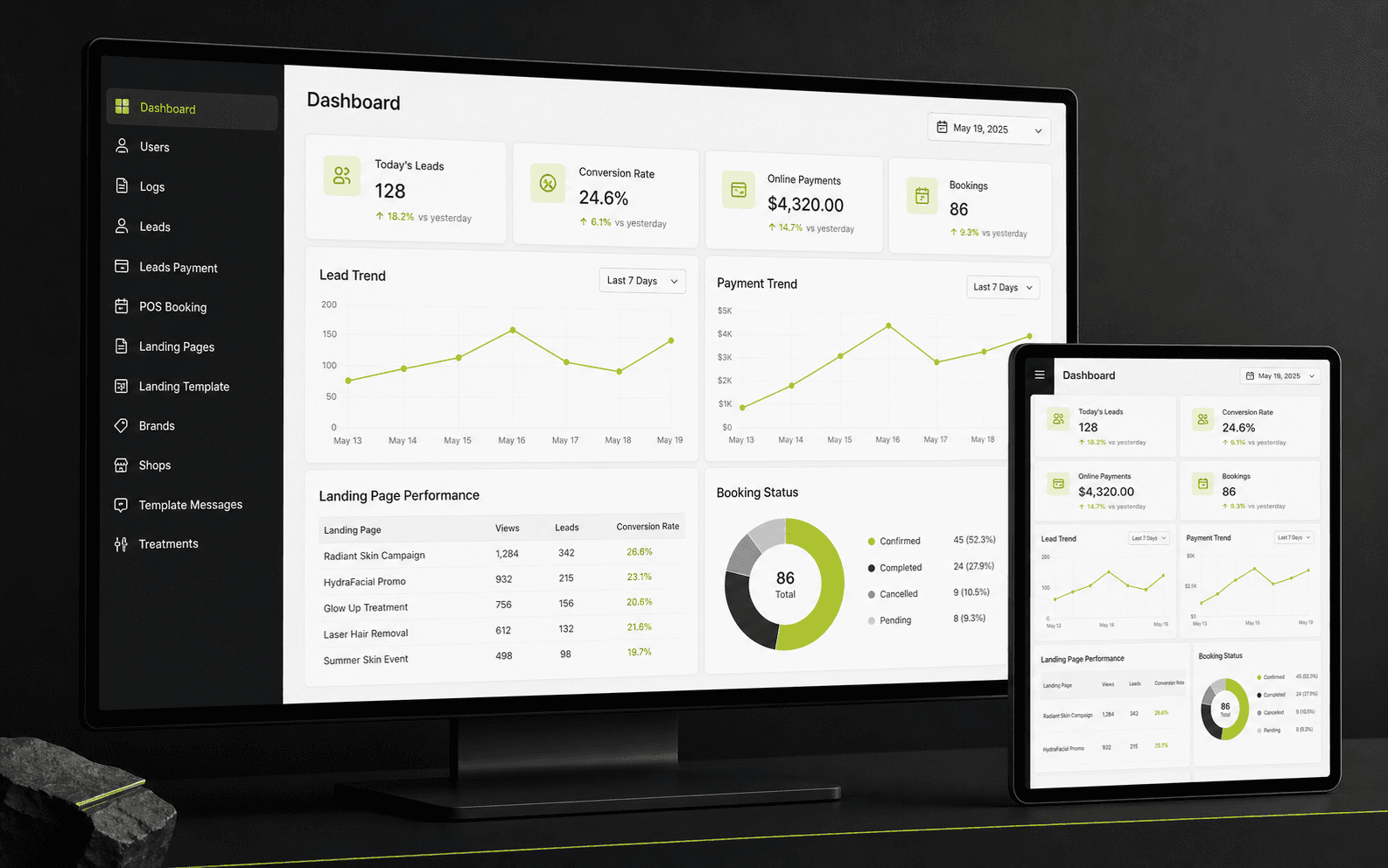
The working interface shown in these images remains English-only.
The context
A real client project for a beauty business where marketing teams launch landing pages for different campaigns and channels, while operations need the resulting bookings back in the internal system.
The useful part is the loop: generate a page, keep its source and landing context, compare what happens next, and let the internal team continue from the same lead and booking record.
The product is a campaign engine with an operations back office.
The features are deliberately joined: the page a team launches, the source a customer came from, and the booking the business fulfils all stay part of one operational story.
Generate from a reusable template
Build campaign pages from structured sections, images, forms, treatment packages, and brand settings, then publish the right version for each campaign.
Keep channel context with the lead
Each submission can retain its referral channel, landing page, website, and source URL, giving marketing and operations a shared point of reference.
Compare beyond the first enquiry
Landing-page lead counts, booking status, payment status, and dashboard views make it possible to follow the path from acquisition to action.
Sync into real booking operations
The internal team can continue with customer, treatment, shop, appointment, and payment details, including bookings entered directly through POS Booking.
See the path from channel to booking.
The diagram below is the product logic: a campaign source creates a landing-page lead, the lead can become a booking, and the booking returns to the team with the details needed to operate.
A product map, not a performance claim: the fields show how campaign context can stay connected to booking operations.
fieldProduct fieldRecord handoffCampaign source
A team launches the offer through the channel it wants to test.
referralChannelLanding page
The campaign page is generated from a reusable template with its own page context.
landingId / uriForm enquiry
The customer submits the selected offer and contact details through the campaign form.
FormSubmissionAttributed lead
The lead keeps its source, landing page, customer, and selected offer together for follow-up.
sourceUrl / statusSOURCE + PAGEBooking and payment
The internal team sees what became a booking, where it belongs, and its payment status.
isBooked / paymentCompare outcome
Marketing can compare which channel and page continued from an enquiry into a booking.
lead → booking
Capture interest
Marketing teams can generate landing pages from reusable templates, then publish different page versions for different campaigns or channels.
Turn interest into a booking
Referral channel, landing page, source URL, lead status, and payment records give the team a consistent way to compare what each campaign brings in.
Prepare daily operations
A lead can continue into booking with treatment, shop, appointment, and payment details, while POS Booking supports bookings entered by the team.
Keep the team aligned
Bookings return to the shared operation with brands, shops, treatments, template messages, permissions, and admin logs around them.
What makes this more useful than a landing-page builder alone.
The distinction is not another dashboard. It is the continuity between marketing decisions and the operational record that follows.
Campaigns are not dead-end pages
A generated page is connected to lead capture and the CRM path that follows, rather than living separately from the team handling the enquiry.
Performance has an operational definition
The comparison can continue from source and landing page to lead, booking, and payment status — closer to the business question than traffic alone.
Built for multiple brands and shops
Brand, shop, treatment, permission, and message settings give different teams the context they need without splitting the operation into separate tools.
The working screens behind the workflow.


Have a workflow worth improving?
Send a short brief — we’ll help shape the next buildable step.